
In DeMaSy, there are 2 ways to manage the passwords.
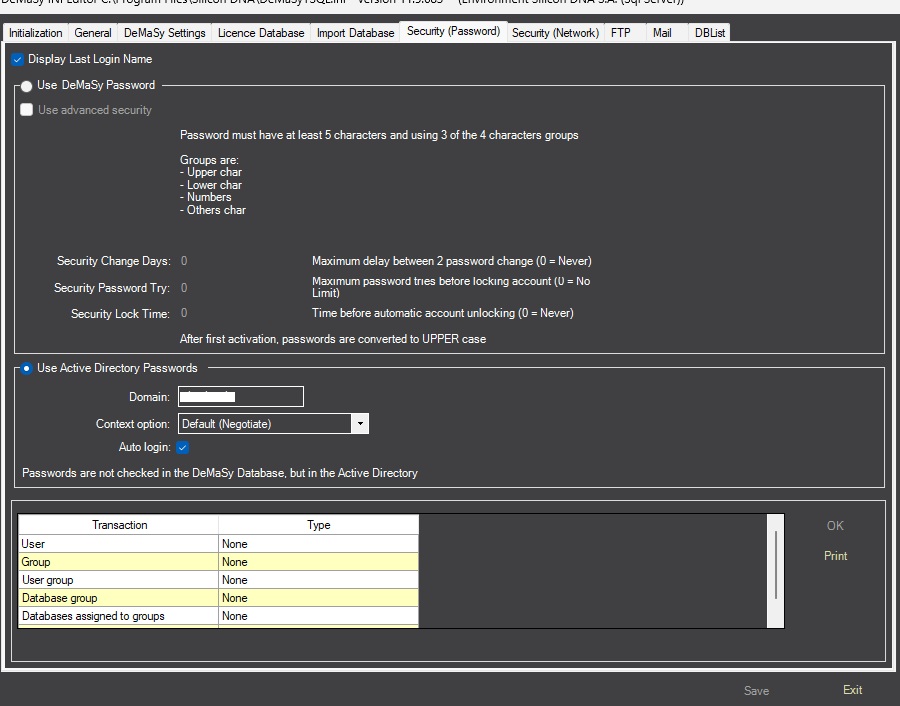
1) DeMaSy passwords
The passwords are saved and encrypted in Licence database in the “USER” table.
2) Active directory
First, you need to set your domain in the dedicated field.
If you want an ‘Auto-login’ when launching DeMaSy, you need to check the box. (You will be connected directly, and DeMaSy will launch with the database list automatically filled in)
The passwords used to connect to DeMaSy are the same as those in the Active Directory.
The user must be created in DeMaSy, but the password is defined in the Active Directory.
BE CAREFUL: with this method, the login name in the DeMaSy user must be the same as the Windows login name.
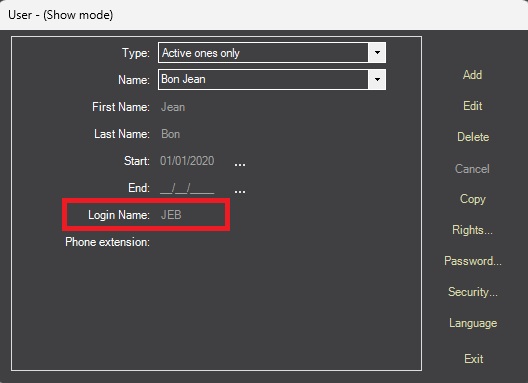
If you change the connection method in Active Directory, a message will appear saying:
‘All the passwords stored in DeMaSy are going to be deleted.’
All the passwords in the licence database will be erased, except for the password of the Administrator user.
If you want to perform this process, I suggest that you contact your IT team or our Helpdesk.