
Follow this tutorial if you want to make a quick backup of a DeMaSy database(s) with default options:
- Run DeMaSy Utilities software (see how to Access to DeMaSy Utilities) and log in
- Click on the Backup icon menu
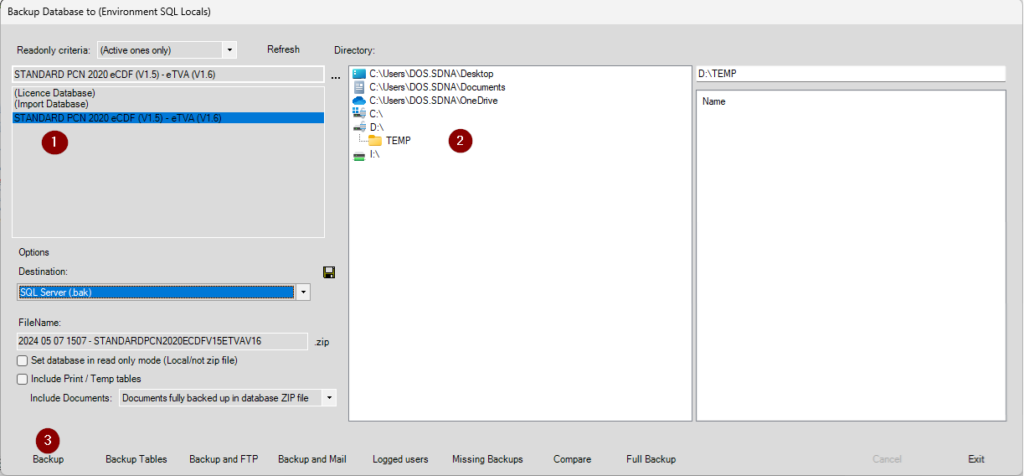
- 1 – Select one or more databases on the list in the top left corner of the screen
- 2 – Choose a destination path through the file explorer, in order to save the backup(s) where you want
- 3 – Click on the Backup button on the bottom left of your screen
- If everything went all you will see a progress bar appear
- 4 – When the backup process of the database(s) will be finished a pop up message will warn you if the backup succeeded or not
If an error appeared when you pressed the Backup button, try to set the MS Access (.mdb) value in the Destination option